YouTube auto-dubs eligible videos for free in 30 languages listed on YouTube's help page as of November 2026 (27 when YouTube announced the rollout in February), mostly to or from English, and only on YouTube. Keep it on if YouTube is your only channel and the dubs sound fine to you. Use your own dub when you want your own voice in 42 languages, a file you own, or the same video on TikTok, Reels, a course or a podcast.
Auto dubbing is YouTube's built-in feature that generates translated audio tracks for your videos. A dub in your own voice is a translated track that keeps the sound of the original speaker. Most creators do not need to agonize over the choice. Below is how the feature works as of November 2026, how to turn it on or off, and a plain way to decide.
How YouTube auto dubbing works
YouTube's auto-dubbing generates translated audio tracks for your videos and marks them "auto-dubbed" in the description. The details that matter, from YouTube's help page and its February 2026 announcement:
- On by default. It is enabled for eligible creators, and YouTube made it available to everyone on 4 February 2026.
- 30 languages. The help page lists 30 original languages as of November 2026 (27 when YouTube announced the rollout in February). English dubs into 20 of them, and most of the others dub only into English. Hindi, Portuguese, Spanish and Korean have a few other pairs, such as Spanish to Portuguese.
- Expressive Speech on some language pairs. The help page marks them, for example English into French, German, Hindi, Indonesian, Italian, Portuguese and Spanish. YouTube says it "replicates the original speaker's pitch and intonation", and that it won't always be used. It is not a clone of the creator's voice.
- Lip sync is experimental. Early access is limited to select channels and qualifying videos.
- You cannot edit a dub. If a dub is wrong, you can fix the video's original language setting so the dub regenerates, or delete the dub.
- Some videos are skipped. Videos over 120 minutes, videos with almost no speech, very fast speech, and videos with copyrighted content are not eligible.
- It only exists on YouTube. The dub is a track on the video, not a file you get.
YouTube also says dubs can contain errors from accents, background noise, proper nouns, idioms and jargon, and that quality differs between languages.
How to turn YouTube auto dubbing on or off
These are the steps from YouTube Help on the day this post was checked (4 November 2026). Menus change, so check the help page if a label looks different.
On your computer
- Sign in to YouTube Studio on a computer.
- Open Settings, then Channel, then Advanced settings.
- Tick or untick Allow automatic dubbing, then save.
In the YouTube Studio app
- Tap your profile picture, then Settings.
- Under Content, tap Automatic dubbing.
- Switch it on or off. Tap Publish manually if you want to review dubs first.
To review or remove one dub, open YouTube Studio on a computer, go to Content, pick the video, open Languages, and use the Audio column to preview, publish, unpublish or delete the dub. A deleted dub cannot be republished.
If you are a viewer, YouTube says you can set preferred languages and switch between the original and dubbed audio on any video through the player settings.
Should you allow auto dubbing on YouTube?
Here is a fair list.
For leaving it on
- It costs nothing and takes no work.
- YouTube reports that in December 2025 more than 6 million viewers a day watched at least 10 minutes of auto-dubbed content. It also says dubs have no negative effect on how your original video is discovered.
- You can review dubs before they publish, so nothing goes live that you have not heard.
For turning it off, or reviewing first
- You cannot edit a dub, only delete or regenerate it.
- PPC Land reported in April 2025 that viewers complained they had no global way to opt out of auto-dubbed audio and wanted the original language. YouTube has since added a preferred-language setting.
- If your videos lean on jokes, wordplay, product names or a distinctive delivery, a machine dub can flatten them.
- The dub lives on YouTube. It is not yours to reuse.
A simple rule: turn on Publish manually and listen to the dub in one language you can judge. If it sounds right, leave it on.
When a dub in your own voice is worth it
Free is hard to beat, so the case for paying has to be specific. These are the five cases where it holds up.
- Your voice is your brand. Viewers subscribe to you. A dub in your own cloned voice is a different product from a generic voice, even with Expressive Speech.
- You post beyond YouTube. The same video goes to TikTok, Reels, a course platform or a podcast feed. YouTube's dub does not leave YouTube. When you dub your video in your own voice with Clooney, you get files you download: the dubbed video, a captioned version, the audio and the SRT.
- Your video has more than one speaker. Clooney keeps up to 8 speakers apart, each in their own cloned voice, so an interview or a two-host show still sounds like the people in it.
- You want a language YouTube does not pair. Clooney covers 42 languages across the tool, while YouTube pairs most languages with English.
- You want control. Turn on Check the script first and you can check and edit the translated script before the voice is made, you hear the result before you publish it, and the file is yours to keep, with commercial use included. YouTube does not let you edit a dub.
Where YouTube wins: it is free, it needs no extra work, and it handles videos up to 120 minutes. Clooney dubs up to 5 minutes per video (1 minute on the Starter plan) and costs money. For a long interview, YouTube's dub is the practical option.
YouTube auto dubbing vs a Clooney dub
| YouTube auto dubbing | Clooney dub | |
|---|---|---|
| Price | Free | Plans from $9 a month, 7-day trial (card required) |
| Languages | 30 listed (27 at the February announcement), mostly paired with English | 42 |
| Voice | YouTube's own voices, Expressive Speech on some pairs | Your own cloned voice, up to 8 speakers |
| Where it plays | YouTube only | Anywhere, you download the file |
| Edits | Cannot edit a dub | Check and edit the translated script before the voice is made |
| Length | Up to 120 minutes | Up to 5 minutes (Starter: 1 minute) |
YouTube facts are as of November 2026, from YouTube Help. Clooney facts are from the pricing page. More head-to-head pages are on the comparison hub.
Use both: add your own dub as an extra track
You do not have to pick one. If your channel has YouTube's Advanced features, you can upload your own dubbed audio as an extra language track with multi-language audio. Two limits are worth knowing:
- Multi-language audio is only available to channels with Advanced features. It is not open to every creator.
- If YouTube already auto-dubbed that language, you must delete the auto-dub first.
The route: dub the video in Clooney, download the audio file, then upload it in YouTube Studio under Languages, Add language, Dub. The file must be audio-only and roughly the same length as the video. You do the upload yourself in YouTube Studio. Clooney does not publish to YouTube, and YouTube swaps only the audio track, so the picture stays exactly as you uploaded it.
A worked example: what a 45-second clip costs
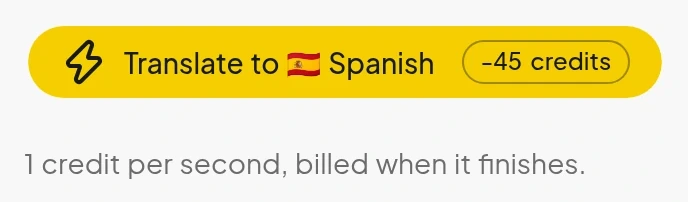
The honest part of any comparison is the price, so here are the prices for a short clip, as the tool shows them before you generate, in November 2026. Clooney charges in credits per second of video. For one target language, a 45-second clip costs 45 credits: 1 credit a second, with a 10-credit minimum per dub. The price shows on the Translate button before anything is generated.
| Plan | Price | Credits a month | Longest video | 45-second clips a month |
|---|---|---|---|---|
| Starter | $9 | 300 | 1 minute | 6 |
| Creator | $27 | 1,000 | 5 minutes | 22 |
The clip counts are our arithmetic, rounded down. Each extra language is another job.
We have not put a side-by-side audio comparison in this post. YouTube's dub can only be heard on a channel that has it switched on, and a fair comparison needs a clip we have permission to show. The best way to judge a dub is to hear one made from your own video. The 10-second preview (watermarked) below needs no account, and it clones the voice from the clip you upload.
What we checked
Every YouTube fact above was read on 4 and 6 November 2026 from YouTube's own pages, and every Clooney fact from Clooney's pricing and plan data.
- YouTube's help page lists 30 original languages, and English dubs into 20 of them (YouTube Help).
- YouTube announced 27 languages and Expressive Speech on 4 February 2026 (YouTube Blog).
- Videos over 120 minutes and videos with copyrighted content are not eligible, and dubs cannot be edited (YouTube Help).
- Lip sync is an experiment for select channels (YouTube Help).
- Multi-language audio needs Advanced features, and an existing auto-dub must be deleted first (YouTube Help).
- Clooney: 42 languages, plans from $9 a month, 1 credit per second of video with a 10-credit minimum (pricing).
Common mistakes
- Leaving the source language wrong. YouTube says a wrong original-language setting produces mistranslated dubs. Check it before you upload.
- Judging the dub in a language you cannot hear. Review one you speak. If it passes there, it is a fair guide to the rest, though quality varies by language.
- Forgetting the label. A dubbed video you post on TikTok or Reels should carry the platform's AI label when it shows a realistic person speaking a language they did not record.
- Assuming one tool must win. The free dub and your own dub do different jobs.
Which one should you pick?
- Only post on YouTube, and the dub sounds right: leave auto dubbing on. Review dubs before publishing in languages you know.
- Your voice is the brand, or you post elsewhere: dub in your own voice and keep the file.
- You want both: keep YouTube's free dub for the languages you do not care about, and add your own dub as an extra track where it matters, if your channel has Advanced features.
Ready to hear your own voice in another language? Try a 10-second dub with no account. When the voice sounds right, start a 7-day trial: plans from $9 a month (card required, cancel before day 8 and pay nothing, per the terms). Voice cloning is free on every plan, and you can clone your voice from a 10-second clip.
Frequently asked questions
Short answers to what readers ask next.
In YouTube Studio, open Settings, then Channel, then Advanced settings, and untick Allow automatic dubbing. In the Studio app, tap your profile picture, Settings, then Automatic dubbing under Content, and switch it off. To review dubs before they go live instead, choose Publish manually.
As of November 2026, YouTube turns auto-dubbing on by default for eligible creators. Viewers see dubs because the audio track follows their preferred language, which YouTube sets from watch history unless they change it. A viewer can switch tracks in the video player settings. A creator can turn the feature off for the channel.
Yes. YouTube does not charge for it. It works only on YouTube, the dubs cannot be edited, and videos over 120 minutes or with copyrighted content are not eligible.
Not as a clone of you. YouTube's Expressive Speech replicates the original speaker's pitch and intonation on some language pairs, marked on YouTube's help page, but YouTube says it won't always be used and that matching the dub voice to the original can be difficult. A dub in your own cloned voice comes from a separate tool such as Clooney.
30 languages listed on YouTube's help page as of November 2026 (27 when YouTube announced the rollout in February). Most pairs involve English: English dubs into 20 of them, and most of the others dub only into English. A few have other pairs, such as Spanish to Portuguese and Hindi to Bengali. YouTube's help page has the full table.
Sources
- YouTube Help: Use automatic dubbing · checked
- YouTube Blog: Unlocking a global audience with auto dubbing (4 Feb 2026) · checked
- YouTube Help: Add Multi-language features to your videos · checked
- PPC Land: YouTube expands automatic dubbing despite viewer concerns over missing opt-out · checked
- Clooney: Pricing · checked
- Clooney: Terms of service · checked