You can translate a TikTok into Spanish in your own voice by uploading the video file to Clooney, choosing Spanish and keeping the default cloned voice, then downloading the Spanish MP4 and posting it as a new TikTok. A 45-second clip costs 45 credits.
Last checked 13 Nov 2026 against TikTok's help pages and Clooney's current rates.
| Question | Answer |
|---|---|
| Voice | Cloned from the speaker in your video by default |
| Target language | Spanish (Clooney covers 42 languages) |
| Max length per dub | 5 minutes (1 minute on Starter) |
| Credit cost | 1 credit per second of video, minimum 10 credits per dub |
| Output | MP4 you own, plus audio only, captioned video and SRT |
| Speakers | Up to 8, each in their own cloned voice |
| Price | Plans from $9 a month, 7-day trial (card required) |
How to translate a TikTok into Spanish in your own voice
- Get the video file. Use your original export from your phone or editing app if you have it. That is the cleanest source. If you only have the posted version, you can paste the public TikTok link into the Link tab instead. That needs a signed-in account, works for public videos only, and you confirm you own the video or have permission to use it.
- Open the dub tool on clooney.studio. Upload the file (MP4, MOV, M4V or MKV, up to 200 MB) or paste the link. Check the length first: a dub can be up to 5 minutes, or 1 minute on Starter. Most TikToks fit, but a 70-second clip does not fit Starter.
- Choose Spanish as the target language. Keep the default, your voice cloned from the video, or pick a library voice if you prefer a different one.
- Check the script first (optional). This stops after translation so you can read and edit every Spanish line before the voice is made. Good for slang and jokes.
- Dub and download. Get the dubbed video, a version with burned-in Spanish captions, the audio alone, or the SRT. Tip: for captions in more languages, the free Subtitle Translator (sign-in needed) translates an SRT into up to 8 languages at once.
- Post it as its own video. A separate Spanish upload keeps your original audience and your Spanish audience apart. Write the caption in Spanish and add Spanish hashtags.
- Label it. A dub of you speaking a language you did not record is realistic AI audio. As of Nov 2026, TikTok's help page requires creators to label realistic AI-generated content, and lets you do it with the AI-generated content setting, a hashtag sticker or text in the description. Label it before you post.
Want to hear it first? The 10-second preview is a watermarked preview of your own video, with no account needed. Dubbing a whole clip needs a plan or a credit pack.
How many credits does a 45-second TikTok dub cost?
Credits are per second of video: 1 credit a second, with a minimum of 10 credits per dub. The price shows in the dub tool before you start, on the Translate button:
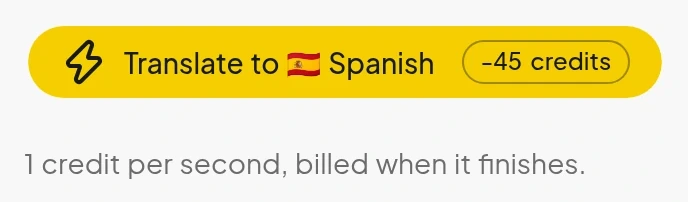
For a 45-second clip into Spanish:
| Plan | Price | Credits a month | 45-second dubs a month |
|---|---|---|---|
| Starter | $9 | 300 | 6 |
| Creator | $27 | 1,000 | 22 |
These credit figures are our arithmetic from the published rates, rounded down. This is a worked calculation, not a recording of a specific clip. See pricing for the other plans. Failed jobs are refunded automatically (pricing FAQ). The one exception is a file longer than your plan allows, which keeps its 10-credit hold.
TikTok's own tool: when it is enough
TikTok has a built-in option. As of Nov 2026, its help page describes a Translate & dub tool inside Symphony Creative Studio. You log in on desktop with a TikTok for Business account, upload a video, choose a language under "Translate to" and a voice (clone the original or pick a stock voice), and can turn on lip sync. You can edit the script, then export. TikTok says lip sync does not work with multiple speakers on screen, edits to the script are limited to minor changes, and the tool is not available in Texas and Illinois.
TikTok's Translate & dub tool is a good fit if you already have a TikTok for Business account, you only post on TikTok, and the result is what you want inside Ads Manager.
Side by side, as of Nov 2026 (TikTok column from its help page):
| TikTok Translate & dub | Clooney | |
|---|---|---|
| Account needed | TikTok for Business account | Clooney account and a plan or credit pack (10-second preview needs none) |
| Where it runs | Symphony Creative Studio, on desktop | Web app, upload a file or paste a public Instagram or TikTok link |
| Voice | Clone the original voice or pick a stock voice | Cloned from the speaker by default, up to 8 speakers, or a library voice |
| Script edit | Minor changes only | Edit every line before the voice is made (Check the script first) |
| Output | Download, or send to Ads Manager; exports carry an AI-generated label | MP4, captioned MP4, audio and SRT |
| Length cap | Not stated on the page | 5 minutes, 1 minute on Starter |
| Availability | Not available in Texas and Illinois | Plans from $9 a month, 7-day trial (card required) |
When to pick another tool instead
Use a standalone file if any of these apply:
- You post the same video on Reels and Shorts too. You get one MP4 you can upload anywhere.
- You do not have, or do not want, a TikTok for Business account.
- You want to read and edit the Spanish before the voice is made.
- You also dub podcasts, courses or ads, not only TikToks.
Stay with TikTok's tool if you only need an ad variant that goes straight to Ads Manager.
Honest limits
- Each dub is capped at 5 minutes, and 1 minute on Starter. A longer file is not dubbed.
- Clooney does not upload to TikTok for you. You post the file yourself.
- Dubbing needs a plan or credit pack. The free monthly credits cover transcription and subtitles only.
- People talking over each other are dubbed as one line.
Ready to hear yourself in Spanish? Try a 10-second dub, a watermarked preview of your own clip, no account needed. Dubbing a whole clip needs a plan or credit pack, see plans.
Frequently asked questions
Short answers to what readers ask next.
Yes. Clooney clones the speaker from the video by default, so the Spanish track sounds like you. You can check and edit the Spanish script before the voice is made. Voice cloning is free on every plan; dubbing needs a plan or a credit pack.
Yes. Symphony Creative Studio has a Translate & dub tool that can clone the original voice and offers optional lip sync. As of Nov 2026, TikTok's help page says you log in with a TikTok for Business account.
Up to 5 minutes per dub, and 1 minute on Starter. Most TikToks fit, but a 70-second clip does not fit Starter.
Dubbing costs 1 credit per second of video, with a 10-credit minimum per dub, so a 45-second clip is 45 credits. Plans start at $9 a month for 300 credits.
Yes. You download a normal MP4 that you own, so it works anywhere you can upload video.