To translate an SRT file, upload it to a subtitle translator that keeps the cue numbers and timestamps, pick your languages and download the result. Clooney's Subtitle Translator lets you translate subtitles into 8 languages at once. It is free with a signed-in account and spends no credits.
This guide shows the file format, two ways to do the job, and the mistakes that break sync.
What is inside an SRT file
An SRT file is a plain text subtitle file. The Library of Congress describes it as sequentially numbered captions, each with start and end times and the text, followed by a blank line. Here are two cues:
1
00:00:01,000 --> 00:00:03,500
Welcome back to the channel.

2
00:00:03,800 --> 00:00:07,200
Today we are making bread
from scratch.
Three things must never change when you translate:
- The cue number, a simple counter.
- The timestamp line: hours, minutes, seconds, a comma, then milliseconds, with
-->between start and end. - The blank line between cues, which players use to find where a cue ends.
Only the text lines are yours to translate, and every method below changes those lines and nothing else.
Method 1: use a subtitle translator
A subtitle translator is a tool that rewrites only the text of each cue and leaves the numbers and timestamps alone. It is the fastest path whether you need one language or several. The SRT translator and the tool behind it work like this:
- Sign in. The translator is free with an account, with no card and no credits.
- Upload your file. SRT, VTT, SBV, SUB and LRC all open, up to 512 KB and 2,000 cues per file.
- Pick up to 8 languages. Clooney's Subtitle Translator translates subtitle files into 91 languages.
- Start, then download. You get one file per language in your original format, and you can download an SRT too. Files are named with the language code, for example
episode-12.es.srt.
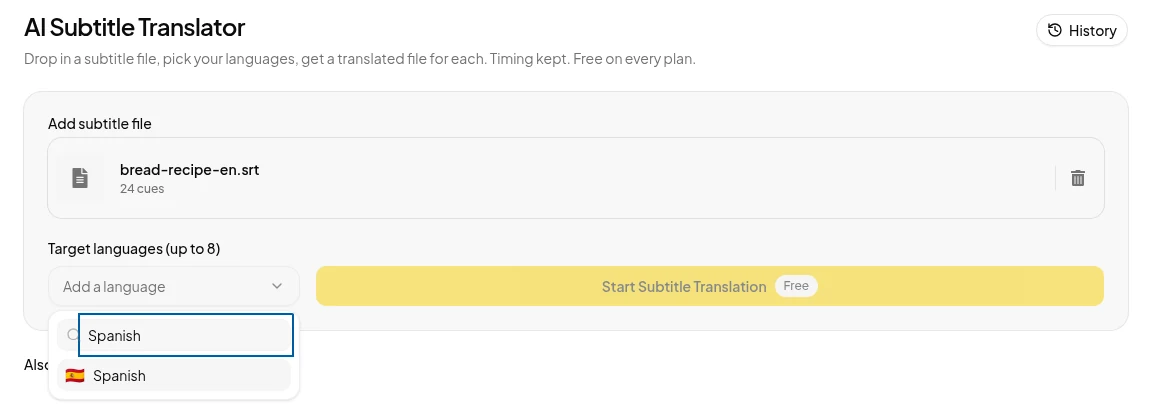
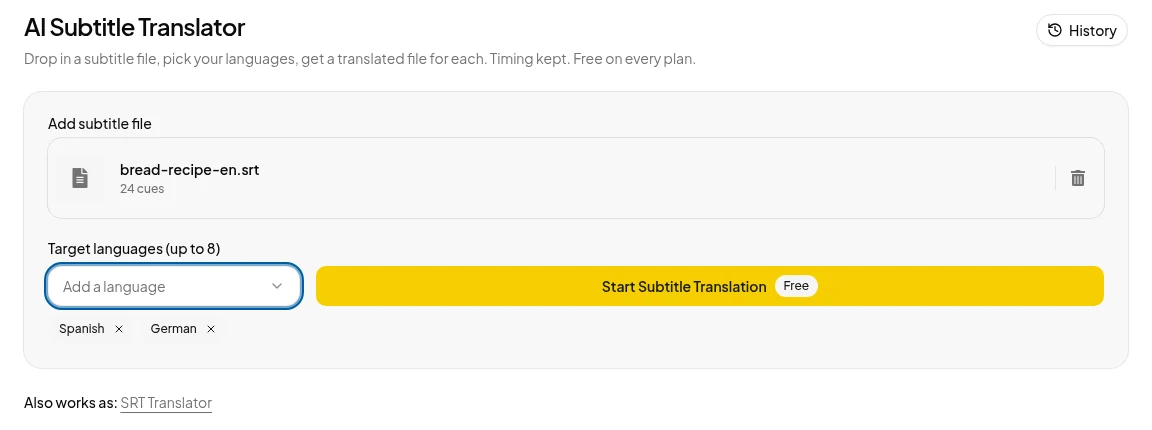
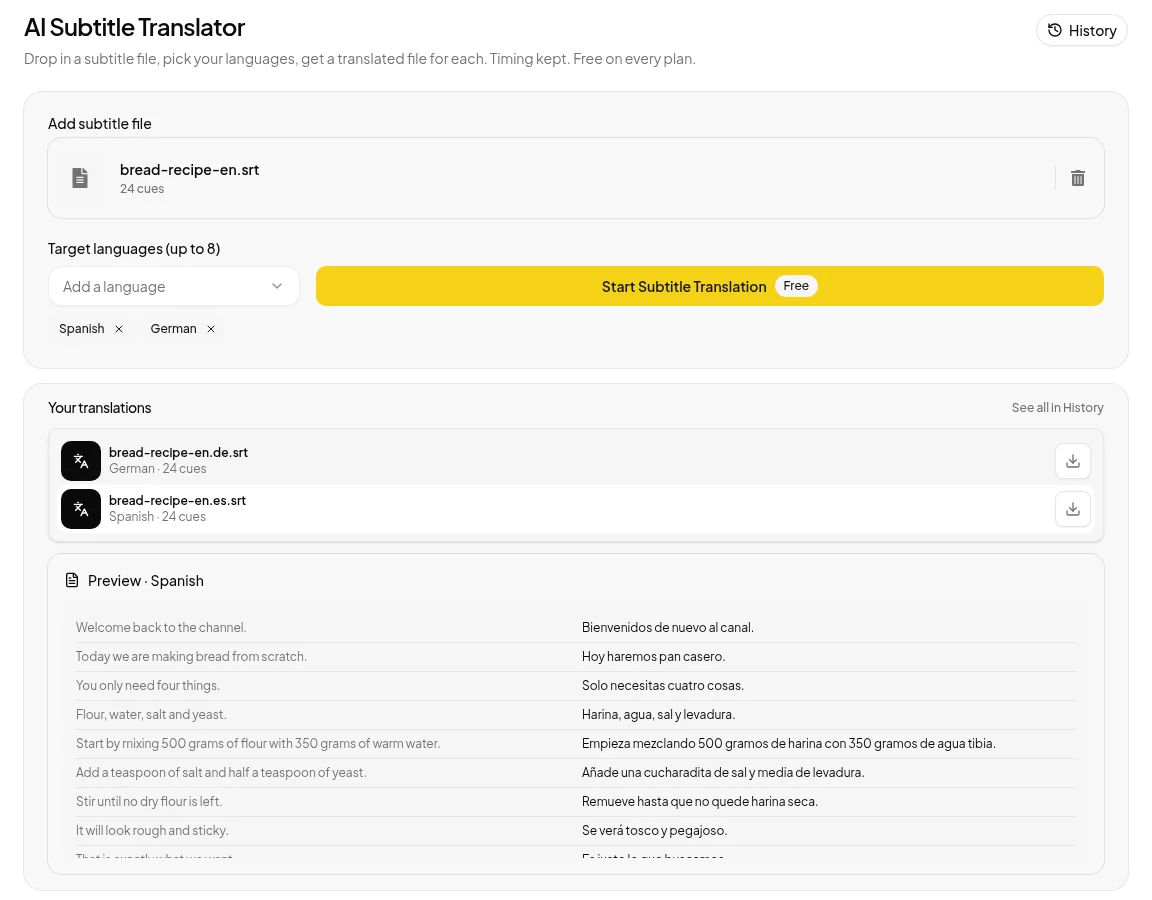
We ran a 24-cue test file, a bread recipe script we wrote for this guide, through the Subtitle Translator on 4 November 2026. Here are cues 4 and 5:
English (source)
4
00:00:12,985 --> 00:00:16,490
Flour, water, salt and yeast.

5
00:00:16,890 --> 00:00:21,970
Start by mixing 500 grams of flour
with 350 grams of warm water.

Spanish (bread-recipe-en.es.srt)
4
00:00:12,985 --> 00:00:16,490
Harina, agua, sal y levadura.

5
00:00:16,890 --> 00:00:21,970
Empieza mezclando 500 gramos de
harina con 350 gramos de agua tibia.

German (bread-recipe-en.de.srt)
4
00:00:12,985 --> 00:00:16,490
Mehl, Wasser, Salz und Hefe.

5
00:00:16,890 --> 00:00:21,970
Zuerst 500 Gramm Mehl mit 350
Gramm warmem Wasser mischen.
Numbers, timestamps and blank lines are untouched, but skim the longer cues before you publish.
What the 4 November test showed:
- Spanish and German were picked together and finished in one run.
- 24 of 24 cues came back in both languages.
- All 48 timestamp lines matched the source.
No SRT yet? Use Video to SRT to make an SRT from your video first. Every signed-in account gets 100 free credits a month for transcription and subtitles, which is about 20 minutes of video at 5 credits a minute. They cover transcription only, not dubbing.
Method 2: translate with ChatGPT or another chatbot
You can do this with any chatbot, and for a short file in one language it is fine. Paste the cues and use a prompt like this:
Translate the subtitle text below into Spanish.
Keep every cue number and every timestamp line exactly as it is.
Do not merge, split, add or remove cues.
Keep each translated line short enough to read in the time shown.
Return the result as a valid SRT file only.

[paste the SRT here]
The risks are real:
- Long files get cut off. The reply stops partway, and asking it to continue is usually where the numbering goes wrong.
- Cue numbers drift. A skipped or repeated number is easy to miss in a long file.
- Lines merge. Two short cues become one, and the timing no longer fits the speech.
- Extra text. A friendly "Here is your file" line at the top makes the file invalid for some players.
If you use a chatbot, translate in batches of around 50 cues, then open the result in a subtitle player and scrub through it. For long files or many languages, a tool built for the job saves you the checking.
| Subtitle translator | Chatbot | |
|---|---|---|
| Languages per run | Up to 8 | One per prompt |
| File size | Up to 512 KB and 2,000 cues | Long files get cut off |
| Timestamps and numbers | Kept, as in our test | Can drift, so check |
| Cost | Free with sign-in on Clooney | Depends on your plan |
| Main risk | Line breaks can change | Merged cues, extra text |
Mistakes that break sync
Translation rarely breaks the timestamps by itself, but these do:
Lines that are too long for the time on screen. A translation can run longer than the English source (in our test, German broke more cues onto two lines). Netflix's English timed text style guide sets a maximum of two lines per cue and 42 characters per line, and up to 20 characters per second for adult programs. These are Netflix's rules for English subtitles, but they make a good yardstick, so if a translated cue overflows, shorten the wording rather than stretching the timestamps.
Merged or split cues. If cue 7 and cue 8 become one, every cue after it is off by one in any tool that matches files by number. Keeping the cue count identical to the source prevents this.
The wrong encoding. The Library of Congress notes that SRT has no encoding standard, so readers have to guess, which is why you should save your file as UTF-8. If accented letters or non-Latin scripts show up as question marks or boxes, encoding is the cause.
Right-to-left languages. Languages such as Arabic and Hebrew read right to left, and although most players handle them, punctuation can appear on the wrong side of a line. Test in the player you will actually use.
After you translate
- Upload to YouTube. In YouTube Studio, open the video's subtitles, add a language and choose Upload file. YouTube's help page, Add subtitles & captions, walks through it.
- Use it in your editor. Import the SRT as a caption track in your video editor, where you can adjust the styling and position.
- Turn it into a voiceover. With Subtitle to Speech you can turn the SRT into a voiceover: one timed voice track, up to 400 cues. It needs credits from a plan or a pack.
- Dub the whole video in your voice. If subtitles are not enough, Clooney's dub tool translates videos up to 5 minutes (1 minute on Starter) into 42 languages in your own cloned voice, with an SRT file. A 7-day trial starts at /pricing (card required), and plans start at $9 a month.
Frequently asked questions
Short answers to what readers ask next.
Yes, for short files. Paste the cues and tell it to keep every number and timestamp unchanged. Long files can be cut off mid-reply and cue numbers can drift, so always check the result before you use it.
Yes. Clooney's Subtitle Translator is free with a signed-in account and translates one SRT into up to 8 languages at once. It spends no credits.
Open the .srt in any text editor and delete the cue numbers and timestamp lines, keeping only the text lines. Or run it through a script that drops every line containing --> and every line that is only a number.
SRT, VTT, SBV, SUB and LRC. You get the translated file back in the same format, plus an SRT. A MicroDVD .sub file needs its frame rate line.
Up to 512 KB and 2,000 cues per file.
Sources
- Library of Congress: SubRip Subtitle format (SRT) · checked
- Netflix Partner Help Center: English (USA) Timed Text Style Guide · checked
- YouTube Help: Add subtitles & captions · checked
- Clooney: Subtitle Translator (the 512 KB and 2,000 cue limits are enforced by the tool and shown as an error) · checked
- Clooney: Pricing (free monthly credits for transcription) · checked